Use This Cloudflare Rule To Reduce Plugin Hack Attempts
Cloudflare Firewall Rules give you a lot of flexibility in further protecting your website. Here is a simple rule that you can deploy on your website to prevent malicious bots from sniffing your site to find plugin vulnerabilities.
Login to your Cloudflare dashboard and click on the firewall section. From there click the sub-tab of firewall rules and we are going to be adding a new rule. You can name it, however, your like but calling it something like Plugin Sniffing Blocker is what I did personally.
From there you're going to need to create a rule set that looks like the following.

Field 1: Set it to URI Path
Operator 1: Contains
Value 1: /wp-content/plugins/
Now tap the "and" button.
Field 2: Set it to Referer
Operator 2: Does not contain
Value 2: Set it your website URL so in my case I added sertmedia.com (no need for www or HTTP)
Insert another "and" here.
Field 3: Known Bots
Operator 3: Equals
Value: Make sure the switch reads "off".
Expression Example: (http.request.uri.path contains "/wp-content/plugins/" and not http.referer contains "sertmedia.com" and not cf.client.bot)
You can then leave it at the default for "block" or you can set it to challenge. i personally set it to block for this website.
What Does This Rule Do?
The rule on a very high level basically blocks direct access to plugin files and folders. The idea is that bots tend to just go down a list trying to access directly vulnerable files from plugins or themes. This simply blocks direct access and allows access to it from known bots (Cloudflare, google, bing, etc) and if you have the referrer set to your top-level domain. This is what allows plugin CSS and JS to work for your normal site visitors.
It's a very simple rule to stop the least sophisticated bots from being able to hack your website and to offer additional protection especially if you're maintaining a website that has abandoned or potentially vulnerable plugins.
Closng Thoughts
This is a fairly straightforward rule that can reduce hacking attempts on your website by simply blocking bad bots from having direct access to your plugin folders and files. Bots often times will try to probe direct files to check for known vulnerabilities and check to see if there affected file is present. If the file is present then they will try to execute the malicious code to gain access to the website directly.
The only thing to be wary of is there is a possibility of some third-party service plugins might have issues connecting to the website. For most plugins this shouldn't be an issue but if one of your plugins does start having connectivity issues to the website try disabling the rule. Once identified you might need to make an exclusion for the folder or file directly to prevent issues with your third-party service provider!

Scott Hartley
Founder & CEO, Sert Media
Founder and CEO of Sert Media, a Nashville-based digital marketing agency. Scott has spent over 15 years helping businesses grow through SEO, web performance optimization, and strategic digital marketing. His deep expertise in WordPress development, site speed, and technical SEO has guided hundreds of brands toward measurable results. When he's not auditing Core Web Vitals or refining campaign strategies, he's writing about the tools, techniques, and trends shaping the modern web.
Related Articles
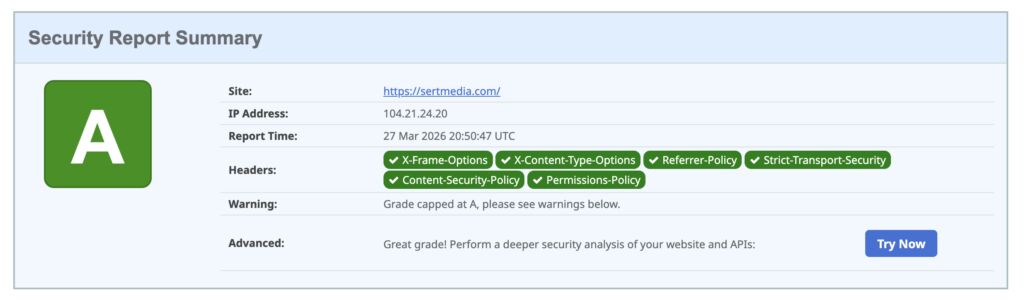
How to Add Security Headers to WordPress Using Cloudflare Transform Rules
If you've ever run your WordPress site through securityheaders.com and gotten a D or F…

Set Up Cloudflare's Automatic Platform Optimization Feature
Automatic Platform Optimization (APO) is a new feature from Cloudflare that allows you to cache…
How To Fix Broken Themes And Plugins On WordPress 5.5
Has the recent WordPress 5.5 update caused issues for you on your website? You're not…