How To Specify The Size of AdSense Responsive Units
Specify The Size of Adsense Responsive Units, AdSense Compliant Method
<style> .example_advertisement { width: 320px; height: 100px; } @media(min-width: 500px) { .example_advertisement { width: 468px; height: 60px; } } @media(min-width: 800px) { .example_advertisement{ width: 728px; height: 90px; } } @media(min-width: 1000px) { .example_advertisement{ width: 900px; height: 250px; } } </style> <script async src="//pagead2.googlesyndication.com/pagead/js/adsbygoogle.js"></script> <ins class="adsbygoogle example_advertisement" style="display:inline-block" data-ad-client="ca-pub-XXXXXXXXXXXXX" data-ad-slot="XXXXXXX"></ins> <script> (adsbygoogle = window.adsbygoogle || []).push({}); </script> What does this code do? The example_advertisement is the name of our unit <ins class=" "> (You need to keep the AdsbyGoogle, but if you have multiple units, you will need to change the example_advertisement.) The CSS sets the dimensions of the advertisement unit based on screen size. If the device is over 1000 px, it loads a very large 900 x 250px banner. This is a high performing advertisement. If the device has a width greater than 800px, but less than 1000px, it will load a 728 x 90 advertisement. This is great for laptops and tablets that are in landscape. If the device is larger than 500px but smaller than 800px, the advertisement will be 468 x 60. This is mostly for tablets in portrait mode. Finally, anything smaller will be served a 320 x 100 unit. This is for your generic mobile devices. This is just a short and sweet example of how the standard AdSense unit sizes can be adjusted. For example, you can specify larger ad units for larger devices as opposed to just unit stretching. This is great for optimizing your advertisements for optimal performance and increasing advertising revenue.
Scott Hartley
Founder & CEO, Sert Media
Founder and CEO of Sert Media, a Nashville-based digital marketing agency. Scott has spent over 15 years helping businesses grow through SEO, web performance optimization, and strategic digital marketing. His deep expertise in WordPress development, site speed, and technical SEO has guided hundreds of brands toward measurable results. When he's not auditing Core Web Vitals or refining campaign strategies, he's writing about the tools, techniques, and trends shaping the modern web.
Related Articles
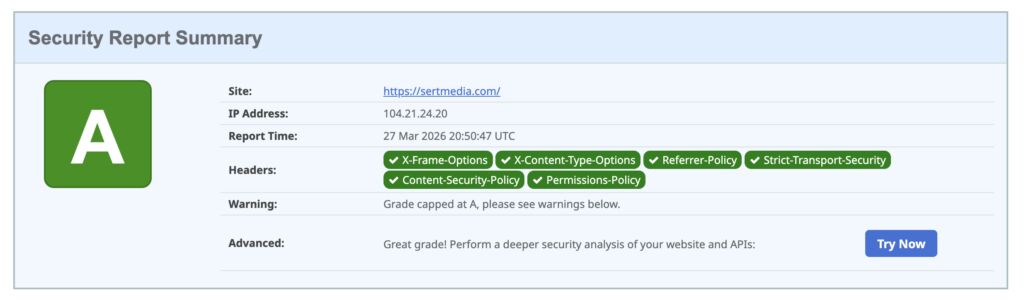
How to Add Security Headers to WordPress Using Cloudflare Transform Rules
If you've ever run your WordPress site through securityheaders.com and gotten a D or F…

Use This Cloudflare Rule To Reduce Plugin Hack Attempts
Cloudflare Firewall Rules give you a lot of flexibility in further protecting your website. Here…

Set Up Cloudflare's Automatic Platform Optimization Feature
Automatic Platform Optimization (APO) is a new feature from Cloudflare that allows you to cache…