How To Remove The URL Field From Default WordPress Comments
1. Adding Code To Functions.php / Site-Specific Plugin (Preferred)
function sertmedia_disable_comment_url($fields) { unset($fields['url']); return $fields; } add_filter('comment_form_default_fields','sertmedia_disable_comment_url'); The above code is my preferred method of removing the URL field from the WordPress comments section. It can be pasted into your functions.php or a site-specific plugin. It simply works. You do not need to edit any of your files or install another plugin.2. Adding A Plugin
You can also install this plugin from the WordPress.org directory. It will also remove the URL field from your comments section. This is a simple option. However, I prefer to put very simple functions into my own little plugin or a functions.php file. This way the code is well documented and labeled that way it is easier to find later. 3. Editing The Comments.php file in your theme files (Not Recommended)Closing Thoughts
It's quite handy that WordPress has a URL field in the comments section. It was likely designed to allow bloggers to speak to other bloggers and has since just become kind of a gold standard in online comment forms. That being said some users simply don't like asking for a URL or simply don't want to help promote their commenters websites. Either way, it can be done in a number of ways to accommodate users of varying levels of skill.
Scott Hartley
Founder & CEO, Sert Media
Founder and CEO of Sert Media, a Nashville-based digital marketing agency. Scott has spent over 15 years helping businesses grow through SEO, web performance optimization, and strategic digital marketing. His deep expertise in WordPress development, site speed, and technical SEO has guided hundreds of brands toward measurable results. When he's not auditing Core Web Vitals or refining campaign strategies, he's writing about the tools, techniques, and trends shaping the modern web.
Related Articles
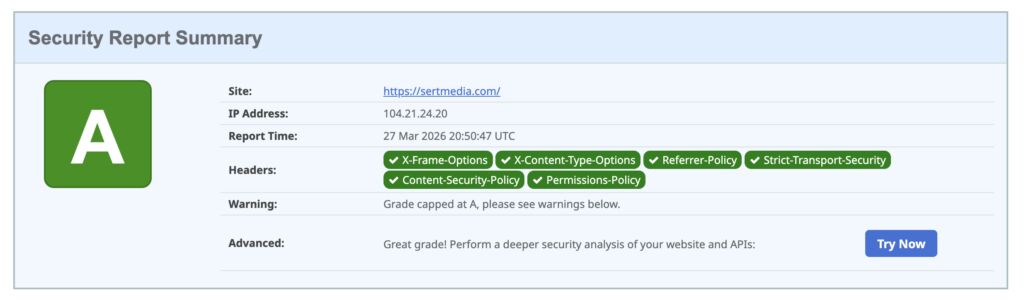
How to Add Security Headers to WordPress Using Cloudflare Transform Rules
If you've ever run your WordPress site through securityheaders.com and gotten a D or F…

Use This Cloudflare Rule To Reduce Plugin Hack Attempts
Cloudflare Firewall Rules give you a lot of flexibility in further protecting your website. Here…

Set Up Cloudflare's Automatic Platform Optimization Feature
Automatic Platform Optimization (APO) is a new feature from Cloudflare that allows you to cache…