How To Load Booked WordPress Plugin Only When Needed
Booked is a premium appointment scheduling WordPress plugin that currently sits at around 8,864 sales on CodeCanyon. I was recently working on a website that made use of this plugin and I noticed something.
The plugin like many loads all of its assets on every single page. This is regardless of whether or not it's being used on that particular page.
Why This Is An Issue?
When a plugin is loading assets regardless of whether or not it's being used on that page mobile devices especially are being punished. They have to download parse, and run that JavaScript & CSS.
In the particular base of the Booked plugin, you have to download 4 JavaScript files and 6 CSS files. This is a lot of extra files and if you're really trying to get your Page Speed grade up you will want to fix this. So, what are your options to resolve the issue?
Plugin Incoming!
Similar to our logic with Contact Form 7 we can simply dequeue the CSS/JS from all pages that you're not actively using it on. This code snippet can be included in a site-specific plugin or into your child theme's functions.php file.
To change the URL you can simply change where it says "appointment". You can change it to whatever page you are using the calendar on. Now, if you wanted the logic could be reversed if you're using it as a widget say on every page but one you could do the following.
Now the above logic simply says if it's the blog page to dequeue the CSS / JS files.
Closing Thoughts
While I can't comment much on the plugin's functionality or effectiveness it should really have some built in logic to handle asset enqueueing. The fact it by default loads everything everywhere is kind of an oversight from a performance standpoint.
The developers could look at integrating the asset enqueuing into the shortcode but this is a great workaround for now!
If you have any questions about the snippet or having issues with getting it working let me know!

Scott Hartley
Founder & CEO, Sert Media
Founder and CEO of Sert Media, a Nashville-based digital marketing agency. Scott has spent over 15 years helping businesses grow through SEO, web performance optimization, and strategic digital marketing. His deep expertise in WordPress development, site speed, and technical SEO has guided hundreds of brands toward measurable results. When he's not auditing Core Web Vitals or refining campaign strategies, he's writing about the tools, techniques, and trends shaping the modern web.
Related Articles
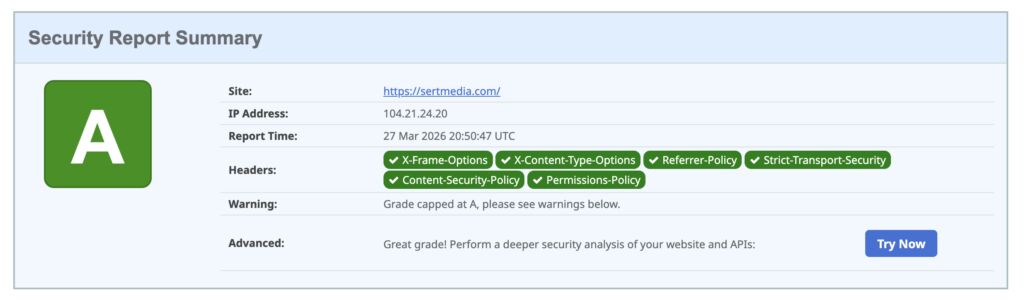
How to Add Security Headers to WordPress Using Cloudflare Transform Rules
If you've ever run your WordPress site through securityheaders.com and gotten a D or F…

Use This Cloudflare Rule To Reduce Plugin Hack Attempts
Cloudflare Firewall Rules give you a lot of flexibility in further protecting your website. Here…

Set Up Cloudflare's Automatic Platform Optimization Feature
Automatic Platform Optimization (APO) is a new feature from Cloudflare that allows you to cache…